



Know what every delivery costs. Give customers an arrival window they can plan around
Three updates to the product, live in Cockpit.
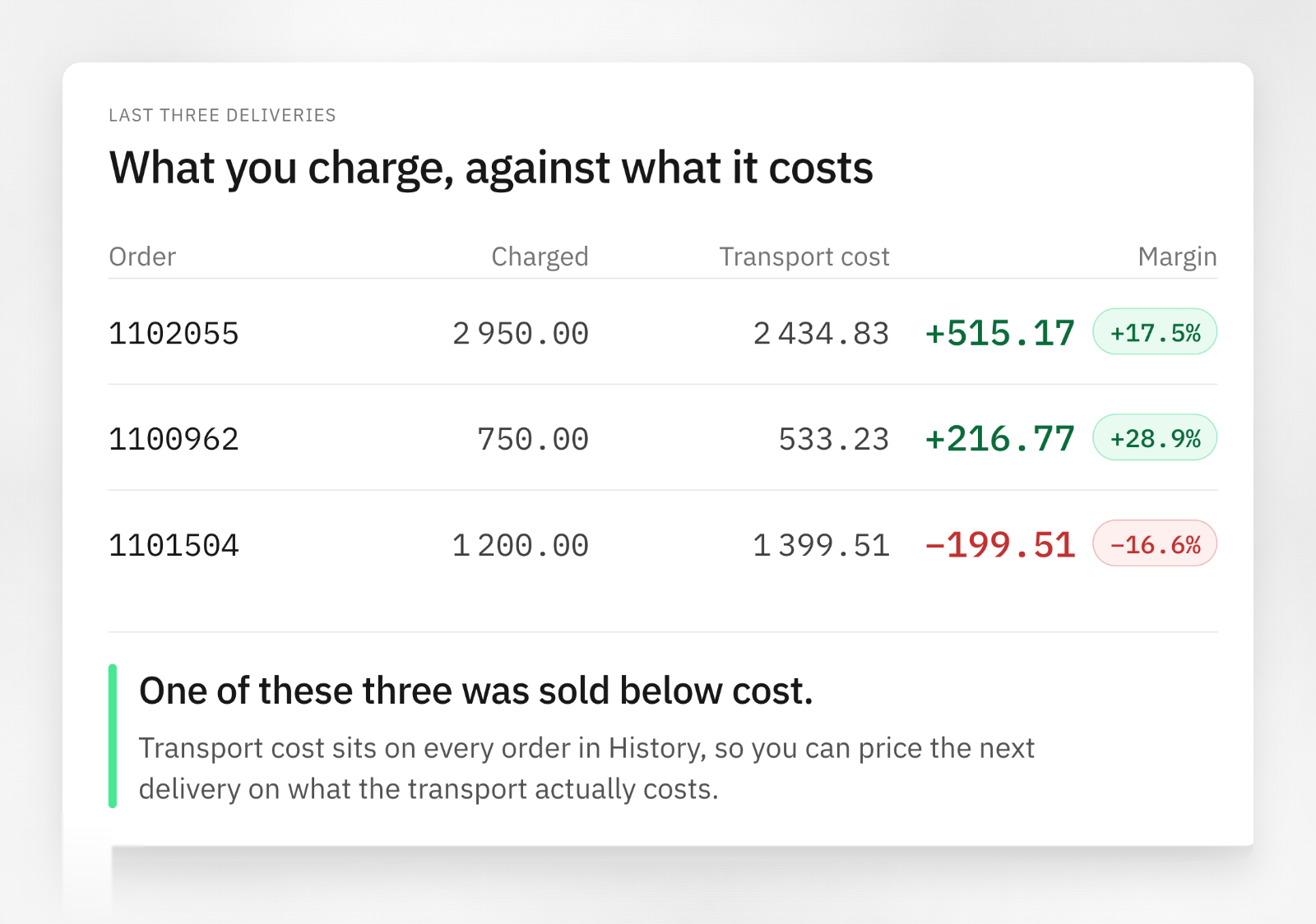
Every delivered order now has a real cost attached to it
Why this matters
Transport decides your margin. With a cost on every delivered order, the comparison you need is now available. Three deliveries can look identical on the invoice and one of them was sold below cost.
What goes into the figure
Vehicle cost, driver cost, distance and time. It is calculated per delivered order, not spread across a route.
Where to find it
Open History in Cockpit. Transport cost sits as its own column on every completed order. The same figure is available in our API, so it can go straight into your BI tool or ERP without anyone exporting a spreadsheet.
An arrival time your customer can plan around
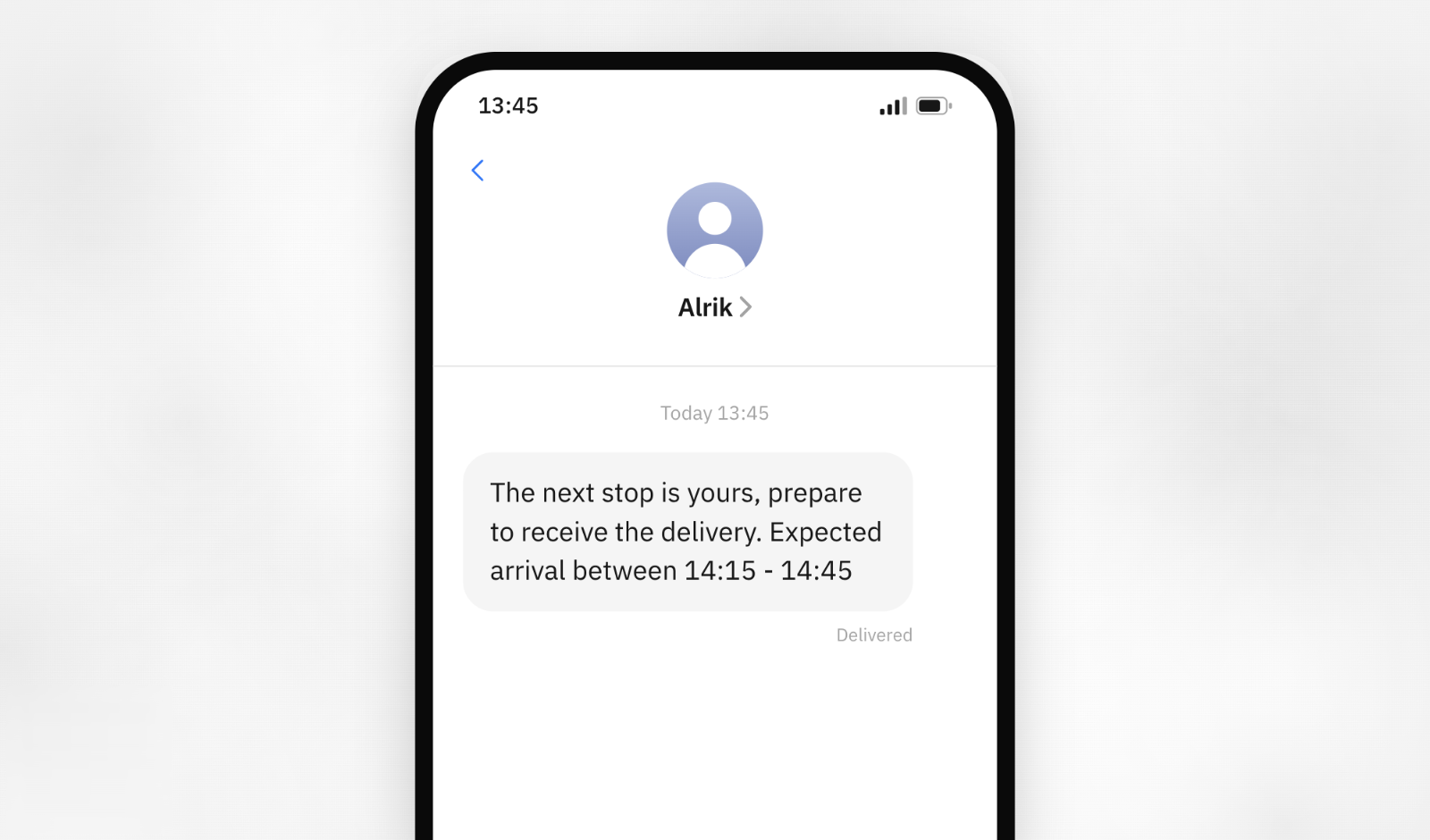
Traffic, a queue at the yard, bad weather. None of that has to show up as a missed ETA. The customer sees a span instead of one exact time, so the driver has room to work with and the site still knows when to be ready.
Why this matters
An exact arrival time is a promise the road rarely lets you keep. One set of lights, one slow unload, and a delivery that arrived perfectly well is logged as late.
The customer ETA is now a time span the delivery will land inside. The shorter the drive, the tighter the span.
How to turn it on
Open Notifications in Cockpit and switch on Include tracking link & ETA in messages. Then pick the events that should send an SMS. The time span is included in every message that carries an ETA, on both pickup and dropoff.
Set up a filter once, not every morning
Filters in Unhandled orders can now be saved and shared, so the view you build to work in is there the next time you open it. Save it for the account and it is there for your colleagues too.
How it works
Filter the order list the way you need it, then save the combination under a name. It sits alongside the list, ready to switch back to. A saved filter is visible to everyone on the account, so the view one dispatcher builds becomes the view the whole team works from. Remove it when the way you work changes.

